Plan, audit,fix, report.
Orisynx covers the whole audit cycle in one workspace: the programme, the checklist, the finding, the corrective action, the evidence and the report. Each part links to the next.
Book a demoSee every screen
These are screens from Orisynx itself, filled with a fictional manufacturer’s audit programme across Lagos, Ogun, Rivers, Kano and Abuja.
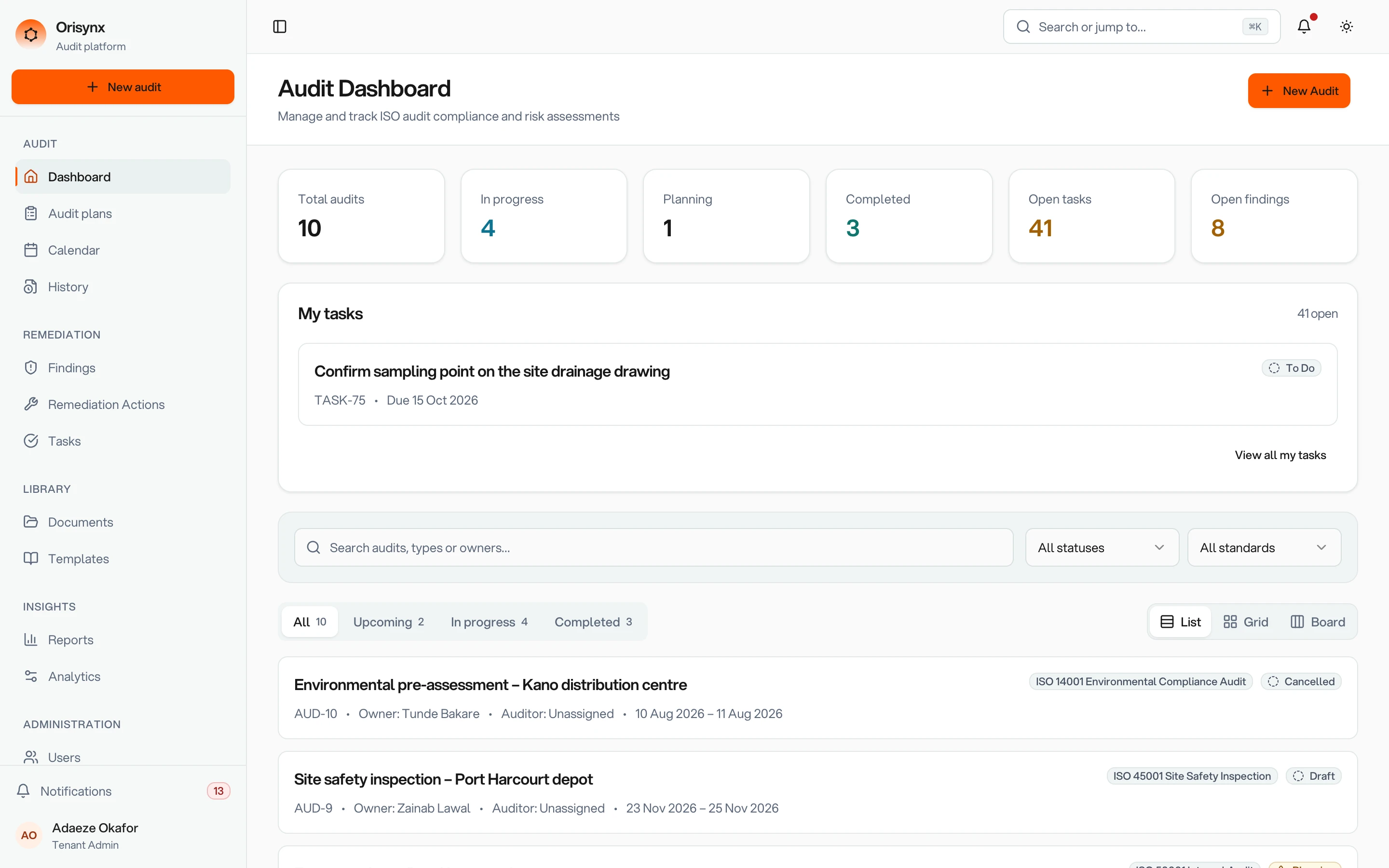
Open findings, overdue actions and this year’s audits, on one screen.
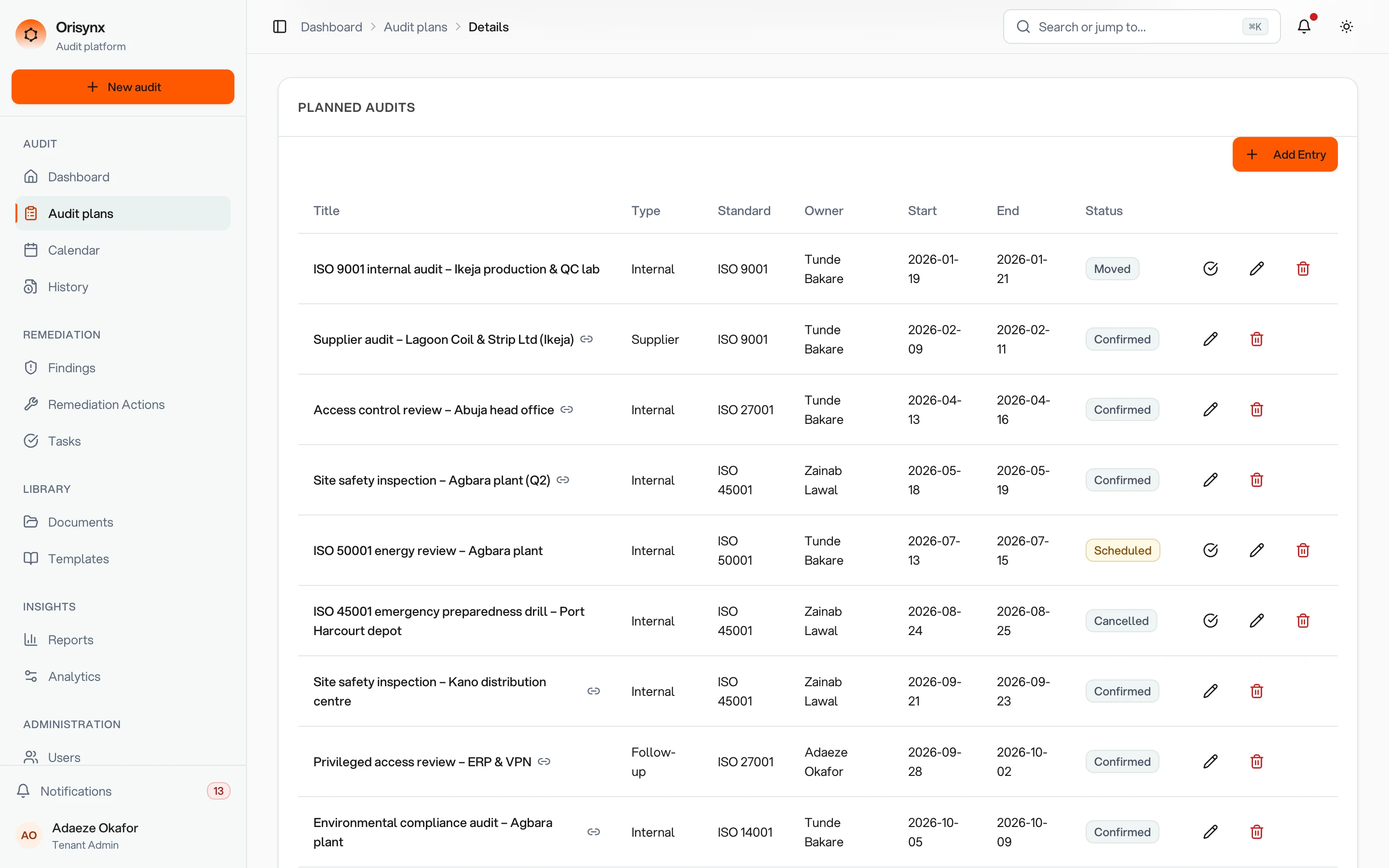
The year’s programme by site and standard, each audit with a status, priority and risk level.
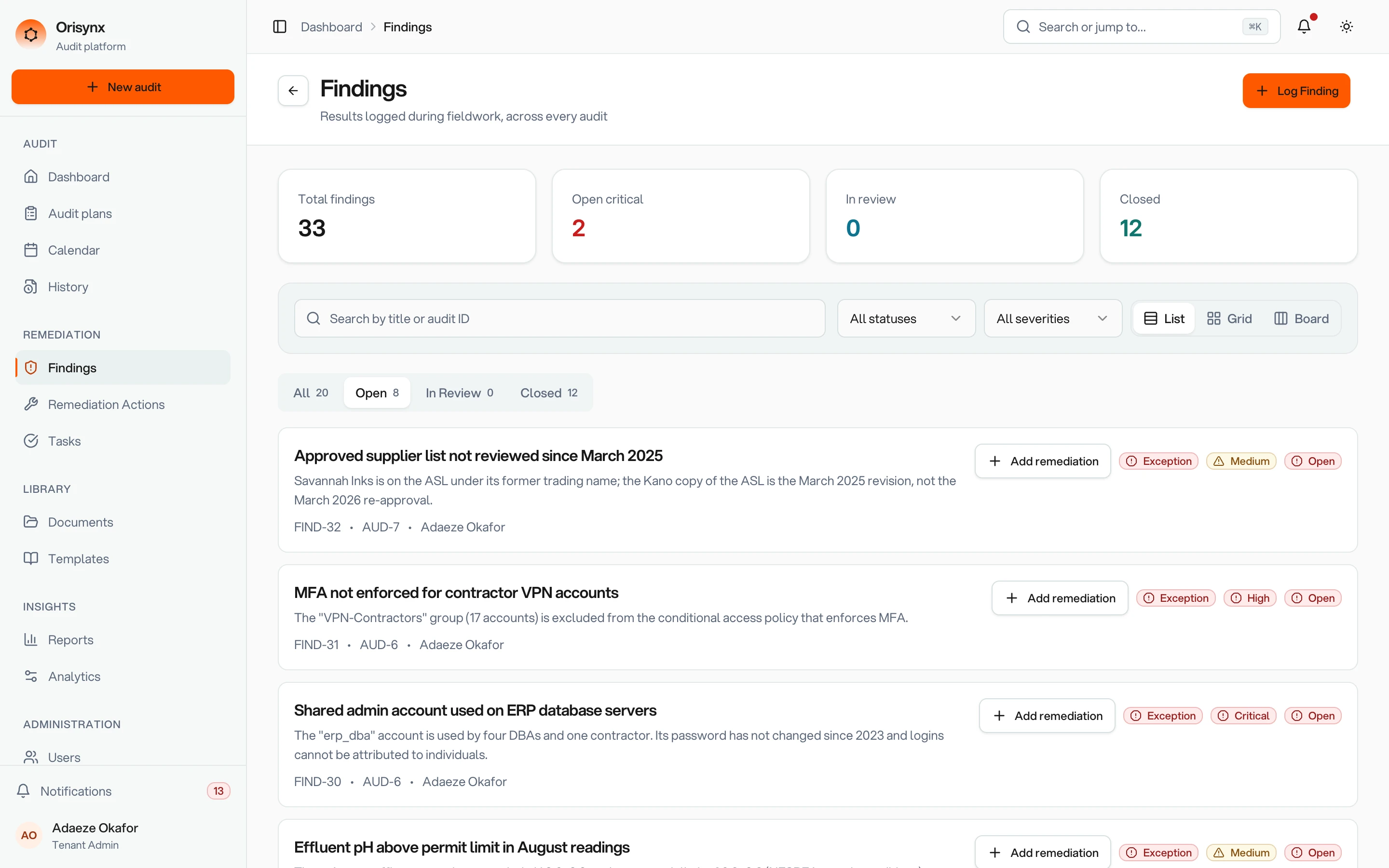
Every finding graded by severity and linked to the audit it came from.
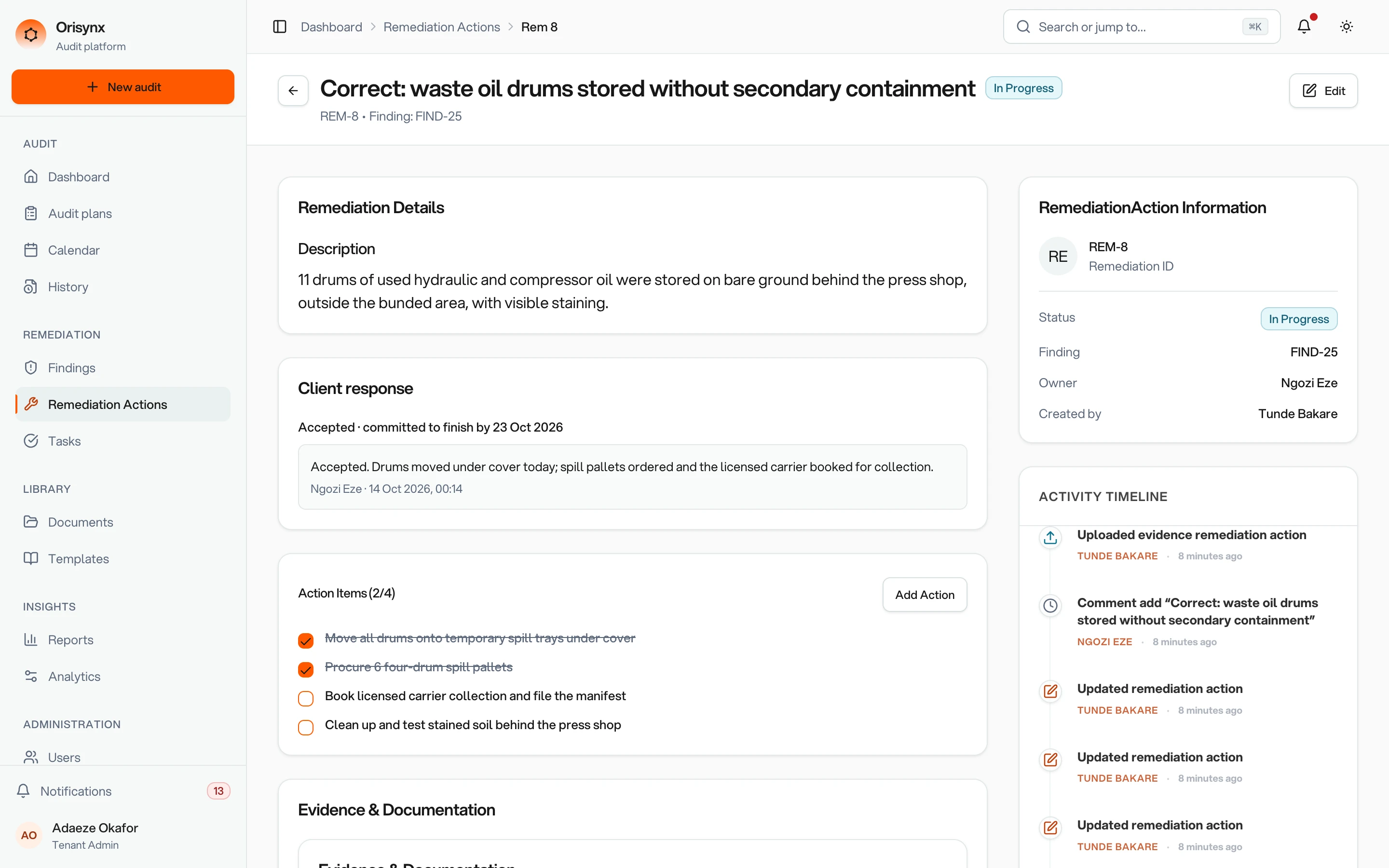
Accepted or disputed by the owner, verified before it closes, with effectiveness recorded.
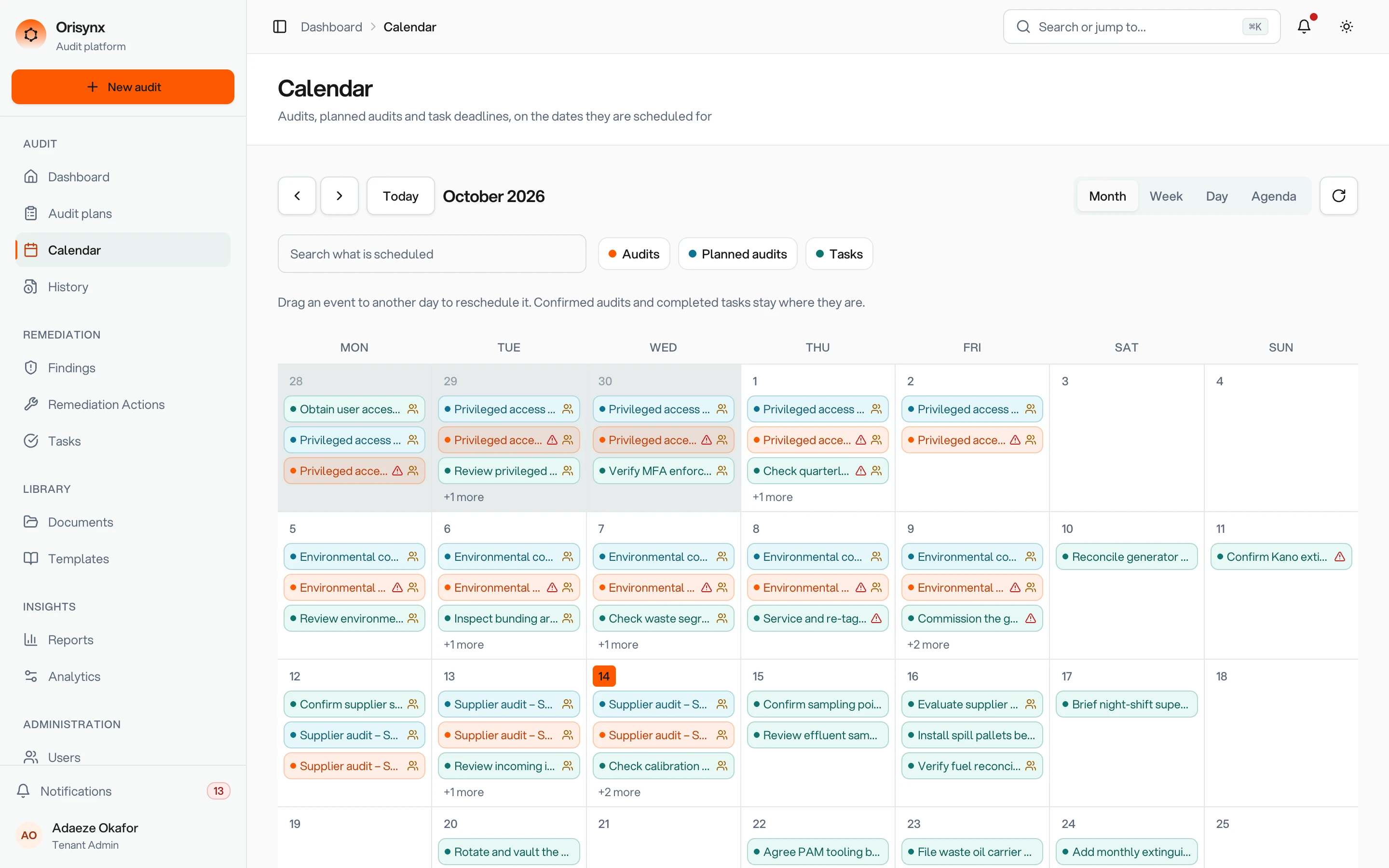
Audits and due dates across every site, overdue work included.
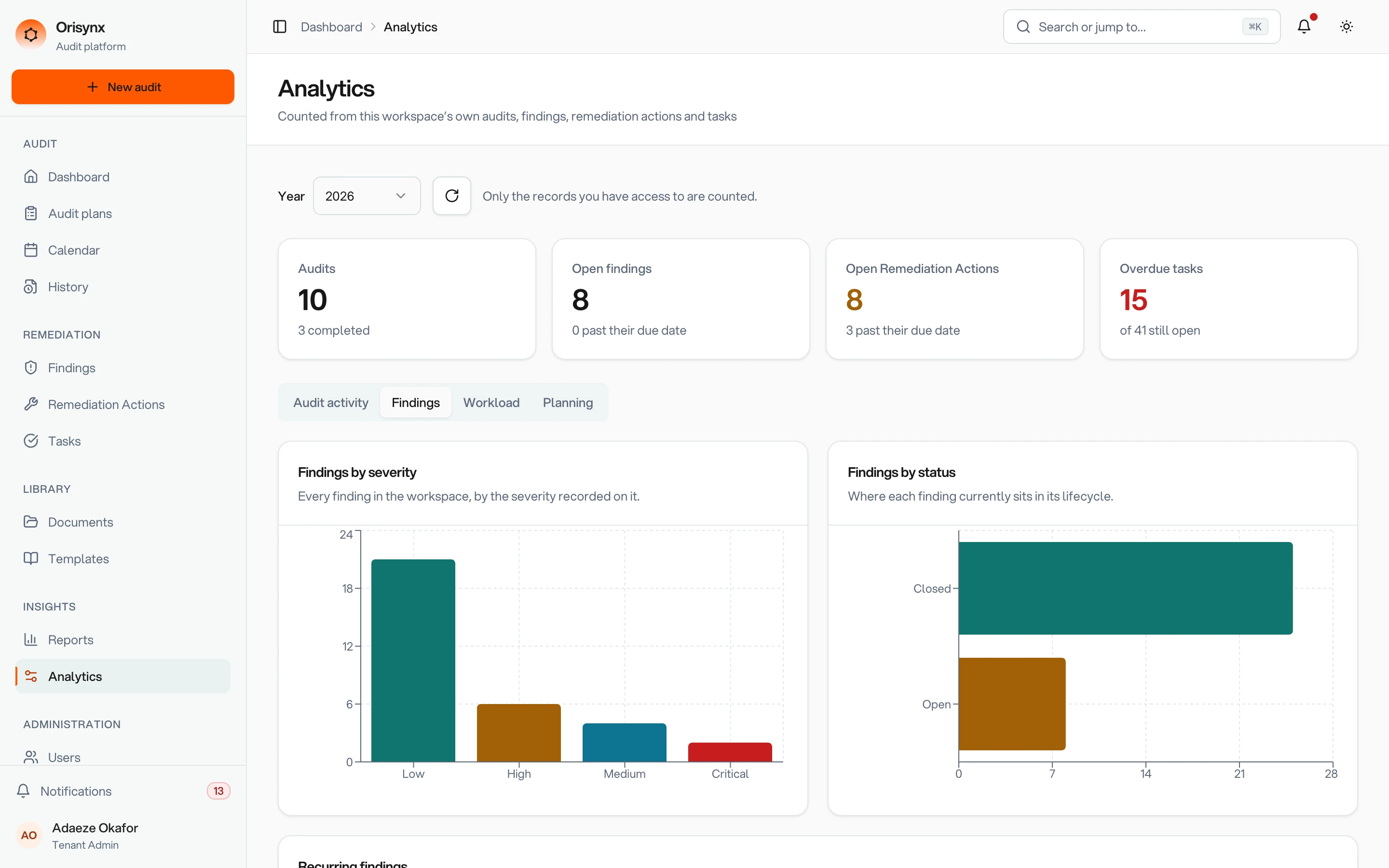
The year by type, person and department.
A year of audits, planned
Build the audit programme by department, site and standard. Give each audit a priority and a risk level, and track it from tentative to scheduled to confirmed. When dates slip, mark the audit as moved and give it a new date.
Already have the programme in a spreadsheet? Import it from .xlsx or .csv. Every row is checked first, and you see exactly which cells need fixing before anything is created.
- Internal, external, supplier, surveillance, certification and follow-up audits
- A shared calendar of audits and due dates
- Progress by department: scheduled, confirmed, overdue
| Row | Audit | Standard | Date | Result |
|---|---|---|---|---|
| 2 | Purchasing | ISO 9001 | 12/03/2026 | Ready |
| 3 | Warehouse, Leeds | ISO 45001 | 03/04/2026 | Ready |
| 4 | Boiler house | ISO 5001 | 17/04/2026 | Fix |
| 5 | Access control | ISO 27001 | 09/06/2026 | Ready |
Row 4 · Standard: “ISO 5001” is not a recognised standard. Fix the cell and upload again.
Checklists you write once
Templates hold the questions and the fields an audit needs: text, numbers, dates and choices. Start an audit from a template and every auditor works through the same requirements, in the same order, on every site.
Each answer is recorded as in order or as an exception. Exceptions are raised as findings, linked to the audit they came from.
- Supplier nameText
- Date of last evaluationDate
- Evaluation outcomeChoice
- Late deliveries in last 12 monthsNumber
Used in 14 audits this year
From finding to closed action
Findings are graded low, medium, high or critical and move from draft to open, in review and closed. Each one can carry corrective and preventive actions, broken into tasks with owners, priorities and due dates.
“Training was done in January. The gap is the sign-off form, not the training.” · R. Patel
- Open
- Disputed
- Verify
- Closed
- The action owner accepts it, or disputes it with a reason
- Work moves through in progress and verify before it can close
- A reviewer records whether it was effective, partially effective or ineffective
- Comments keep the discussion on the record it belongs to

Evidence where it was found
Attach files, links and notes to the finding, the action or the task they prove: the photograph from the warehouse floor, the updated procedure, the training record.
Controlled documents live in their own library, apart from the evidence, so everyone works from the same copy.
Reports for the review
Three report types cover what management review asks for: an audit summary, the trend in findings, and the status of remediation.
Analytics show the year at a glance: audits by type and month, open findings, open and overdue actions and tasks, and each person’s open, completed and overdue work. Audit history exports to CSV.
| Owner | Open | Done | Overdue |
|---|---|---|---|
| J. Okafor | 3 | 17 | 0 |
| R. Patel | 5 | 9 | 2 |
| A. Mensah | 1 | 22 | 0 |

Built for the site, not just the office
Auditors work where the risk is. Findings, actions and evidence follow them back to the same record.
The right people, the right access
Roles carry permissions, groups organize people, and invitations arrive by email. Every change is written to the activity log.
- Role-based permissions, checked by the server on every request
- Groups for departments, sites or audit teams
- Invite people by email; they set their own password
- An activity log of who changed what, and when
- In-app notifications as work is assigned
- A daily email digest of overdue and upcoming work
See it with your own audits
Bring an audit you have already run. We will walk it through Orisynx with you, from the plan to the last closed corrective action.